

Quick answer: A client onboarding bot should kick off after contract/payment confirmation, collect a structured brief and assets against a package checklist, request the right access (domain, hosting, analytics, Shopify, ads), set up shared workspaces, confirm milestones and working hours, and stop for human QA before messaging the client that “we’re ready to build.” Never invent missing assets as optional, never grant production access automatically, and never mark a project Kickoff Complete until required items pass validation. Build it as Contract → Checklist → Collect → Provision → Confirm → Human gate — tools + rules + LLM assist.
This is Part 7 of Build Real AI Automations. Parts 1–6 covered lead qualification, support triage, Shopify order status, content ops, appointment booking, and a discovery → proposal draft bot. Once the proposal is signed, onboarding is where agencies leak days — chasing logos in WhatsApp, waiting on DNS, and starting design without a locked brief.
At Let Start Design we onboard web, WordPress, Shopify, SEO, and AI automation clients every week. The expensive failure mode is optimistic chat: a bot that says “all set” while brand guidelines, product CSV, and staging access are still missing. Below is the architecture, guardrail list, build steps, MVP plan, and how we outperform freelancers and chatbot shops when kickoff quality matters on bigger projects.
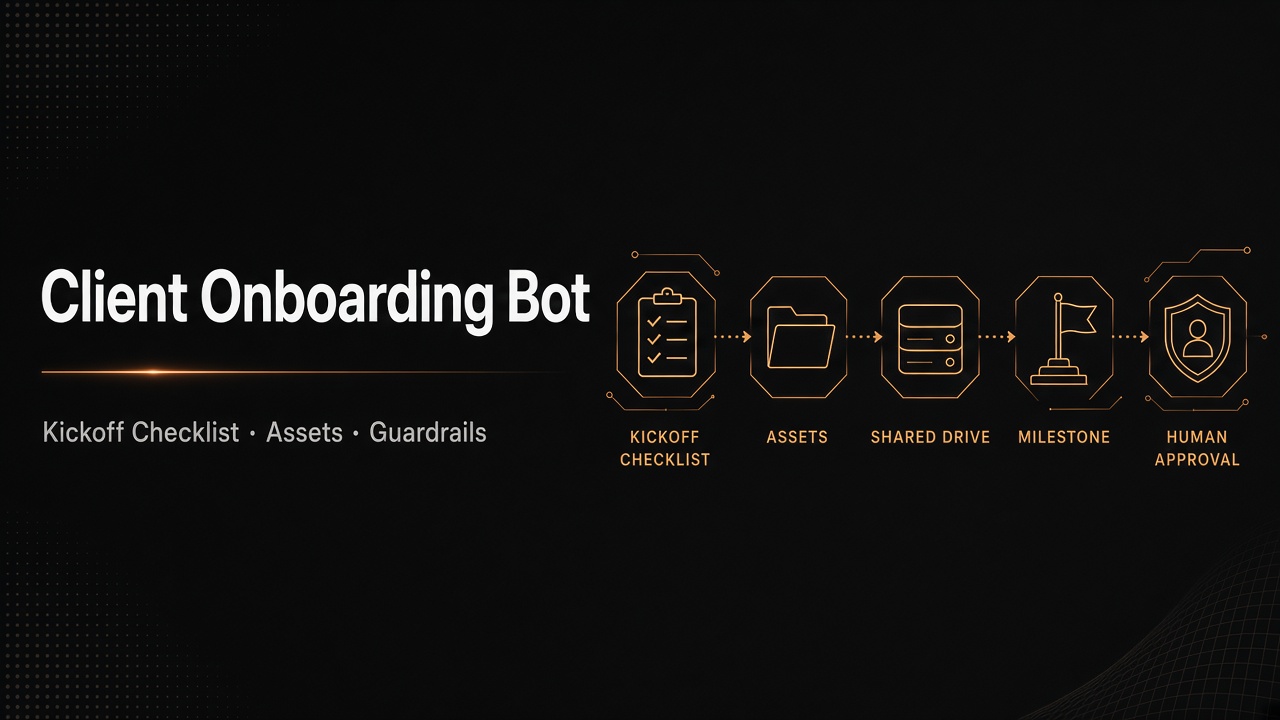
What the onboarding bot should (and should not) do
It should:
- Trigger only after contract signed / deposit received (CRM stage or billing webhook)
- Load a package-specific kickoff checklist (web redesign ≠ Shopify build ≠ SEO retainer)
- Collect brand assets, content, competitor links, and success metrics into a structured brief
- Request access with least privilege (staging first; production only when a human approves)
- Create shared Drive/Notion/Slack channels from templates
- Confirm milestone dates, timezone, and communication SLAs
- Nudge incomplete items on a schedule without spamming
- Stop for human QA before “Kickoff complete” client message
- Update CRM stage and attach the onboarding packet
It should not:
- Start design or development tickets while required assets are missing
- Accept “I’ll send later” as complete for blocking items
- Auto-create production admin users or DNS changes without human approval
- Invent brand colors, product copy, or legal pages the client never provided
- Promise launch dates that conflict with the signed proposal timeline
If you are still choosing product shape, start with AI agents vs chatbots vs copilots. This build is a workflow copilot with tools — agentic only inside coded checklist rules.
Architecture
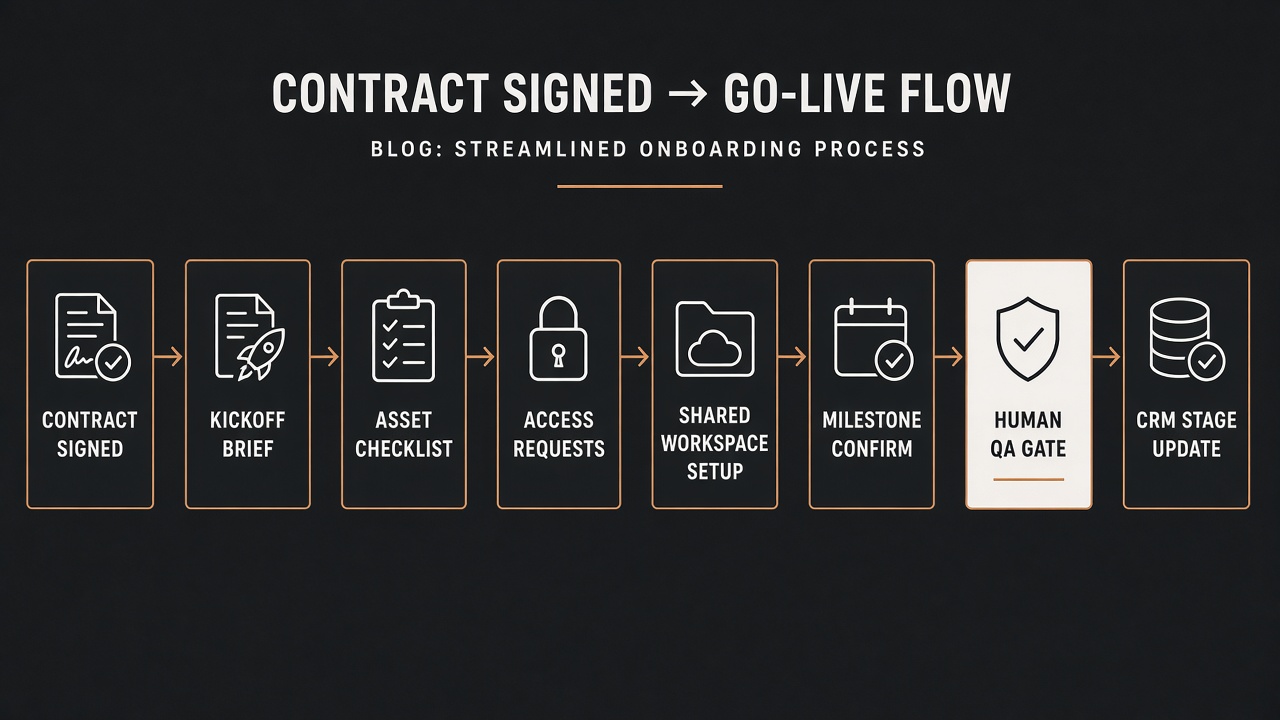
Six layers:
- Trigger — Stripe/PayPal deposit, DocuSign complete, or CRM stage “Won.”
- Checklist loader — package ID from Part 6’s rate card selects required vs optional items.
- Collector — portal form + file uploads + LLM assist to map messy answers into schema.
- Provisioner — create folders, Notion pages, Slack channel; queue access requests.
- Validators — file types/sizes, URL reachability, required fields, conflict flags.
- Human QA + announce — PM reviews packet; then client kickoff message + internal sprint tickets.
Same discipline as Part 2 (draft, don’t send) and Part 6 (approve before commercial commit): the bot prepares; people open the gate.
Guardrails checklist (non-negotiable)
- Package-specific checklists — never one generic 40-item form for every deal.
- Required vs optional — blocking items must be
completebefore Kickoff Complete. - Least-privilege access — staging credentials first; production needs human role.
- Secret handling — passwords go to a vault / secure field, never into LLM prompts or Slack.
- File validation — allowlist extensions, max size, virus scan if you accept uploads.
- Scope lock — new “must-haves” discovered in onboarding become change requests, not silent scope creep.
- Timeline lock — milestone dates must fit the signed proposal band; else escalate.
- Nudge policy — max N reminders / week; escalate to AM after threshold.
- Idempotent project key — one onboarding thread per CRM deal ID.
- Announce lock — client “we’re ready” message requires
qa_approved_by.
Step-by-step build guide
Step 1 — Define checklist templates per package
Map each package ID (from your rate card / Project Builder) to items like:
- Brand: logo SVG/PNG, fonts, colors, guidelines PDF
- Content: sitemap confirmation, page copy status, photography rights
- Access: domain registrar, hosting, DNS, Google Analytics, Search Console, ads accounts
- Ecommerce extras: product CSV, shipping rules, payment gateways, theme access
- Automation extras: CRM API keys (scoped), WhatsApp Business, calendar OAuth
- People: day-to-day contact, approver, billing contact, timezone
Each item needs: id, label, required, type (file/url/text/access), validator, owner (client vs studio).
Step 2 — Trigger from “Won,” not from chat
Wire webhooks: billing paid OR contract signed → create Onboarding Run with deal ID, package ID, client emails. Do not let a random website visitor start “client onboarding.”
Step 3 — Schema the kickoff brief
Collect structured fields the delivery team actually uses:
- Business goals and success metrics for this engagement
- Primary audiences and offers
- Must-ship pages / features vs later phases
- Brand voice notes (short)
- Competitors to reference (links only)
- Known constraints (legal, brand, technical)
unknowns[]— explicit gaps
LLM can help paraphrase messy notes into this schema — it must not invent goals the client never stated.
Step 4 — Asset intake with validators
- Upload to object storage under
deal_id/assets/ - Validate MIME + size; reject executables
- Optional: image dimension checks for logo “usable” status
- Mark item complete only when validator passes
- Allow “client delayed” status with a reason — still blocks Kickoff Complete if required
Step 5 — Access requests (queue, don’t auto-grant)
Generate a checklist of access asks with copy-paste instructions (e.g. “Invite studio@… as Staff on Shopify”). Store status: requested / granted / verified. A human verifies production access. For OAuth tools, use your existing secure connect flows — never ask clients to paste full passwords into chat.
Step 6 — Provision workspaces from templates
- Create Drive/Notion folder from package template
- Create Slack/Teams channel with pinned kickoff doc
- Clone project board (To Do → Design → Build → QA → Launch)
- Invite only roles defined in the deal (no open links with edit for the world)
Step 7 — Milestone confirm + human QA
Propose milestone dates inside the signed timeline band. Client confirms or requests shifts. PM reviews: checklist completeness, scope creep flags, access verified. Then:
- Approve — send kickoff confirmation + internal sprint start
- Edit — adjust milestones / waive optional items
- Escalate — missing deposit, legal hold, or scope mismatch with proposal
Pseudo-flow (tool calling)
get_deal(deal_id)— package, contacts, proposal artifactload_checklist(package_id) → Item[]create_onboarding_run(deal_id)upsert_brief(fields)— schema-constrainedupload_asset(item_id, file) → ValidationResultrequest_access(item_id)/verify_access(item_id)provision_workspace(template_id)propose_milestones(timeline_band) → Milestone[]validate_kickoff(run_id) → Reportrequest_pm_qa(run_id)announce_kickoff(run_id)— only if approvedupdate_crm(deal_id, stage, attachments)
The model never calls announce_kickoff without qa_approved_by. Enforce at the API layer.
2-week MVP plan
- Days 1–2 — Checklist JSON for your top 3 packages + brief schema
- Days 3–4 — Client portal form + file upload + required/optional logic
- Days 5–6 — Validators + incomplete nudges (email only)
- Days 7–8 — Workspace folder template + CRM stage update
- Days 9–10 — PM QA screen (Approve/Edit/Escalate)
- Days 11–12 — Access request checklist (manual verify)
- Days 13–14 — Shadow on 2–3 real kickoffs; measure time-to-ready vs baseline
Skip auto-DNS and auto-admin invites in the MVP. Queued requests with human verify are enough to win back days.
Quality metrics
- Time-to-kickoff-ready — Won → all required items complete
- Blocking-item completion rate by day 3 / day 7
- Nudge count per deal — high counts mean checklist UX is wrong
- Scope-creep flags caught before sprint start
- False “ready” incidents — announced kickoff while required assets missing (target: zero)
- PM edit distance on brief/milestones
- Rework in week 1 of build caused by missing intake
Common failures
- One mega form — clients abandon; you start anyway with holes
- Chat-only collection — assets lost in WhatsApp; no validators
- Secrets in prompts — API keys pasted into the LLM context
- Auto-production access — security incident waiting to happen
- Optimistic complete — bot marks done because the client said “soon”
- Timeline drift — onboarding invents dates outside the signed proposal
- Orphan from Part 6 — package ID not carried from proposal → wrong checklist
Freelancer vs chatbot agency vs specialist studio
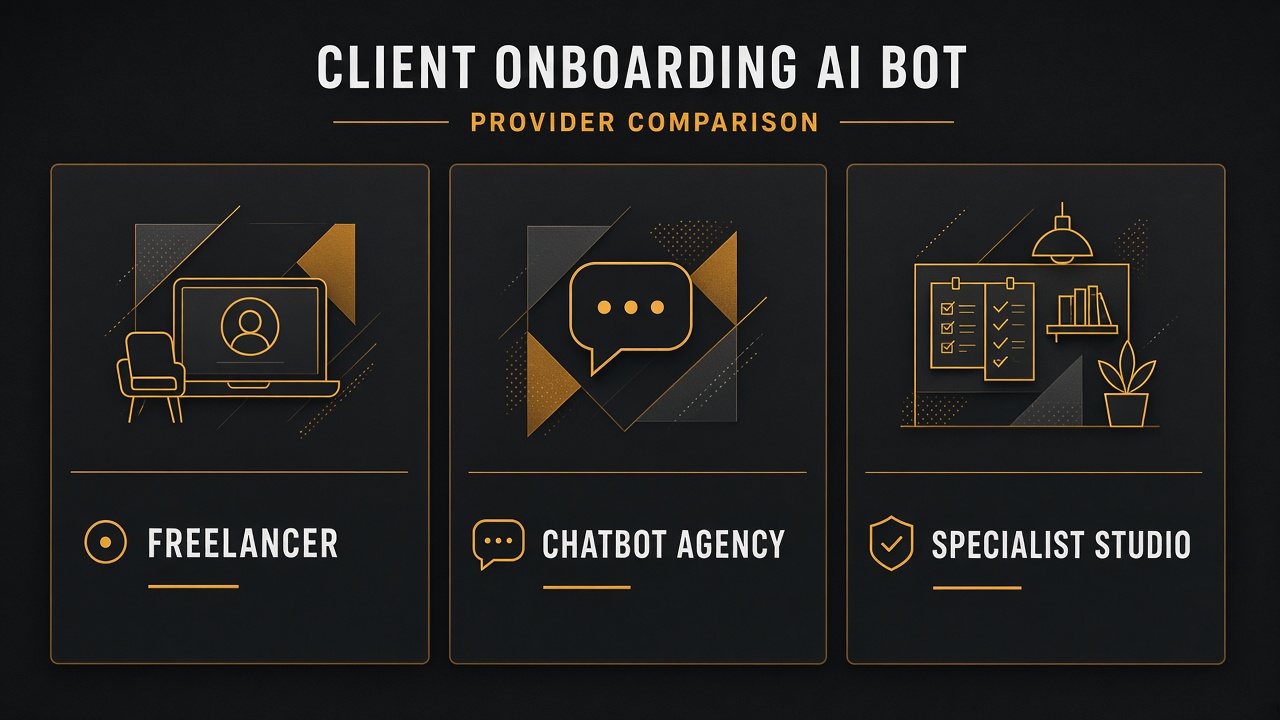
| Solo freelancer | Typical chatbot agency | Let Start Design | |
|---|---|---|---|
| Checklist depth | Ad-hoc Google Doc | Generic “welcome bot” | Package-linked required/optional items + validators |
| Access & secrets | Passwords in chat | Often ignored | Queued requests, vault fields, human verify |
| Human QA | Informal | Missing | Approve/Edit/Escalate before announce |
| Site + ops system | Split vendors | Widget bolted on | Funnel from proposal → onboard under one team |
| Big-project capacity | Single point of failure | Juniors on “AI CS” | Structured build, QA, launch support |
| Commercial clarity | Hourly surprises | Opaque bot retainers | Scope via Project Builder + fixed proposals |
| Best for | Tiny experiments | FAQ greetings | Studios where delayed kickoffs burn margin |
How Let Start Design stands out
1) Agents with product discipline
We treat onboarding like production software: schemas, checklists, tests, and human gates — continuous with Parts 1–6. See what clients should expect from an AI website agency in 2026.
2) Package continuity from proposal to kickoff
The same package IDs that power proposals and the Project Builder load the right onboarding checklist — so sales and delivery stop arguing about what was sold.
3) Guardrails before personality
A cheerful bot that starts the build without logos or DNS access creates rework. Required-item locks and QA approval ship first.
4) Website + delivery in one engagement
We often ship onboarding flows alongside AI website development or redesigns — so the client portal, brand intake, and build backlog share one data model.
5) Capacity agencies can white-label
Partners can deliver onboarding automation under their brand through our white-label program when clients want “AI project kickoff” without you staffing a new ops team overnight.
6) Portfolio proof, not slideware
Browse the portfolio. We finish systems that survive real client messiness — missing assets, late access, and scope creep included.
Key takeaways
- Checklists keyed to package IDs are the source of truth; LLMs help parse messy answers into schema.
- Required items and human QA prevent false “kickoff complete” messages.
- Queue access requests; never auto-grant production or put secrets in prompts.
- Connect Part 6’s proposal package ID so sales and delivery stay aligned.
- For bigger projects, hire a studio with integration capacity — Let Start Design combines agent engineering, website conversion, pricing clarity, and partner delivery.
Want onboarding that stops burning the first project week? Talk to Let Start Design, explore AI website development, or model related scope in the Project Builder.
Series: Part 1 — Lead qualification · Part 2 — Support triage · Part 3 — Shopify order status · Part 4 — Content ops · Part 5 — Appointment booking · Part 6 — Discovery → proposal · Part 7 — Client onboarding
Related: Agents vs chatbots vs copilots · White label in the age of AI · AI-agent ready websites
Sources: Structured outputs; Tool / function calling; JSON Schema.


