

Quick answer: To check if your website appears in Google AI Mode and AI Overviews, (1) run your priority queries in a clean browser and inspect supporting links/citations, (2) repeat the same queries in AI Mode separately, and (3) review impressions in Google Search Console’s Generative AI performance report. Your page must be indexed and snippet-eligible. Google does not require special AI schema or AI-only files.
If you publish helpful content, one practical question keeps coming up: does Google cite our pages inside AI Mode and AI Overviews? This guide gives a clear, policy-safe process you can run this week — aligned with Google Search Central’s AI features documentation and the Search Console Generative AI performance report.
What are Google AI Overviews and AI Mode?
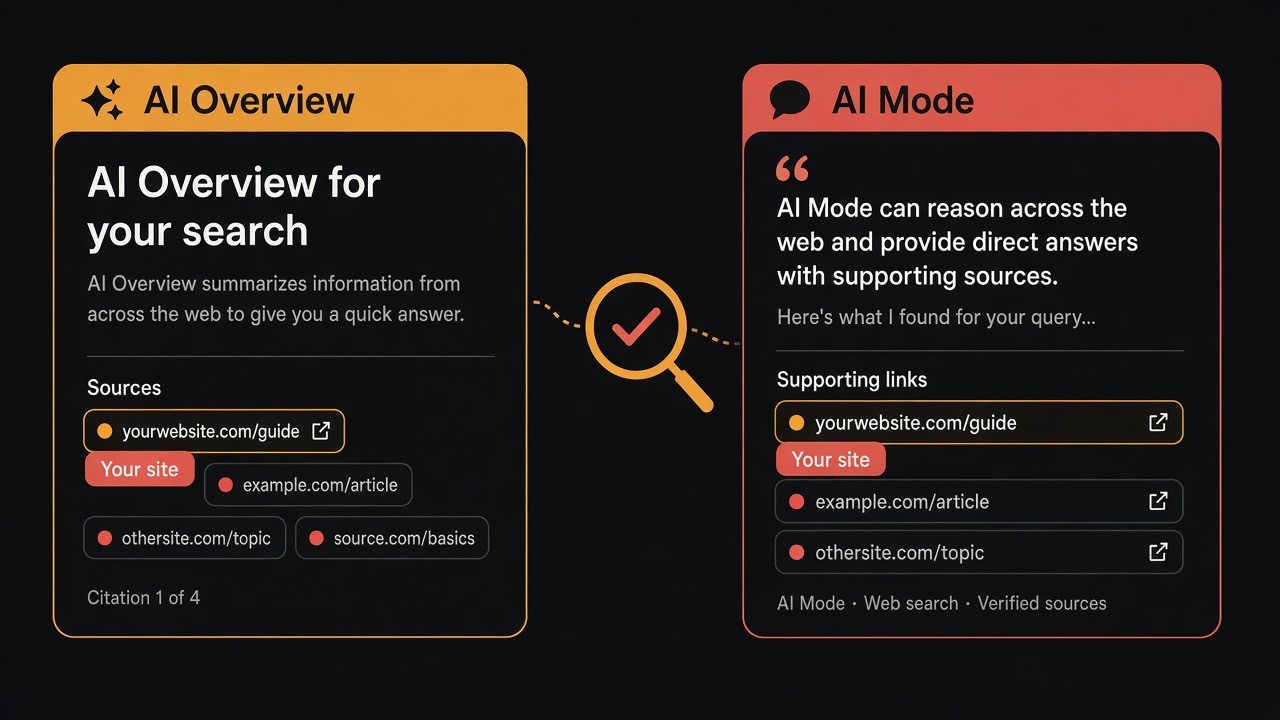
AI Overviews are AI-generated summaries that can appear on a classic Google Search results page when Google decides a summary adds value. They include supporting links (citations) so people can explore sources.
AI Mode is a conversational Search experience for nuanced, multi-turn questions. It returns its own answers with supporting links to websites.
Gemini (gemini.google.com) is Google’s standalone chatbot. It is a different product surface from AI Overviews and AI Mode inside Search — do not treat a Gemini mention as proof of Search AI citation.
Google states that AI Mode and AI Overviews may use different models and techniques, so citations can differ for the same query. Check both.
| Feature | Where it appears | What to check |
|---|---|---|
| AI Overviews | Classic Google Search results (when triggered) | Supporting links / sources in the overview |
| AI Mode | AI Mode conversational Search | Supporting links shown with the answer |
| Search Console Generative AI report | Search Console | Impressions by page, country, device, date |
How do you know if Google AI features cite your website?
Use three layers of evidence:
- Manual SERP check — see the live citation for a query in AI Overviews.
- Manual AI Mode check — see supporting links in the conversational answer.
- Search Console Generative AI report — see which URLs earn generative AI impressions over time.
Impressions in Search Console show visibility trends. Screenshots from Methods 1–2 prove a specific citation on a specific query.
What does Google require for AI Overviews and AI Mode eligibility?
Per Google Search Central, a page must be:
- Indexed in Google Search
- Eligible to appear with a snippet
- Compliant with Search technical requirements and Search policies
Key fact: There are no additional technical requirements unique to AI Overviews or AI Mode. You do not need special schema.org markup, AI.txt files, or other machine-readable files created only for these features.
Key fact: Meeting requirements does not guarantee inclusion. Indexing and serving are never promised. Avoid “guaranteed AI Overview ranking” claims — Google’s published guidance still points to helpful, reliable, people-first content.
Method 1: How to manually check AI Overviews citations
Step 1: Build a priority query list
Collect 15–30 queries from:
- Search Console → Performance → Queries
- Money pages (services, products, pricing explainers)
- How-to and comparison questions buyers actually ask
Use natural-language questions for AI Mode (“how do I…”, “compare…”, “best way to…”) and keep shorter classic queries for AI Overviews.
Step 2: Search in a clean session
- Use Incognito / private mode or a logged-out profile
- Note country, language, and device (mobile vs desktop)
- Record date and time for every check
AI Overviews do not appear for every query. Google shows them when a summary is additive — a missing overview is often normal, not proof your site failed.
Step 3: Inspect AI Overviews supporting links
When an AI Overview appears:
- Open the supporting links / sources panel
- Capture the exact URLs (not only the domain)
- Mark whether your domain appears and which URL was chosen
- Screenshot the module for later comparison
Log results in a sheet: query → overview shown (Y/N) → your URL cited (Y/N) → cited URL → competitor URLs → notes.
Method 2: How to check the same queries in AI Mode
Open AI Mode and run the same question list again. Record supporting links independently.
Why this step matters: A page cited in an AI Overview is not automatically cited in AI Mode for the same prompt. Checking only one surface creates false negatives.
Step 5: Confirm eligibility with URL Inspection
For important pages that never appear:
- Confirm the page is indexed (Search Console URL Inspection)
- Confirm snippet eligibility (watch for
nosnippet, aggressivemax-snippet, ornoindex) - Confirm Googlebot can see the main answer in HTML text
If a page is not indexed or blocked from snippets, it is not a realistic AI-feature candidate until that is fixed.
Method 3: How to check AI visibility in Google Search Console
Google’s Generative AI performance report (Search) shows how your site performs in generative AI features on Search. Per Google Help, it includes impressions for AI Overviews and AI Mode.
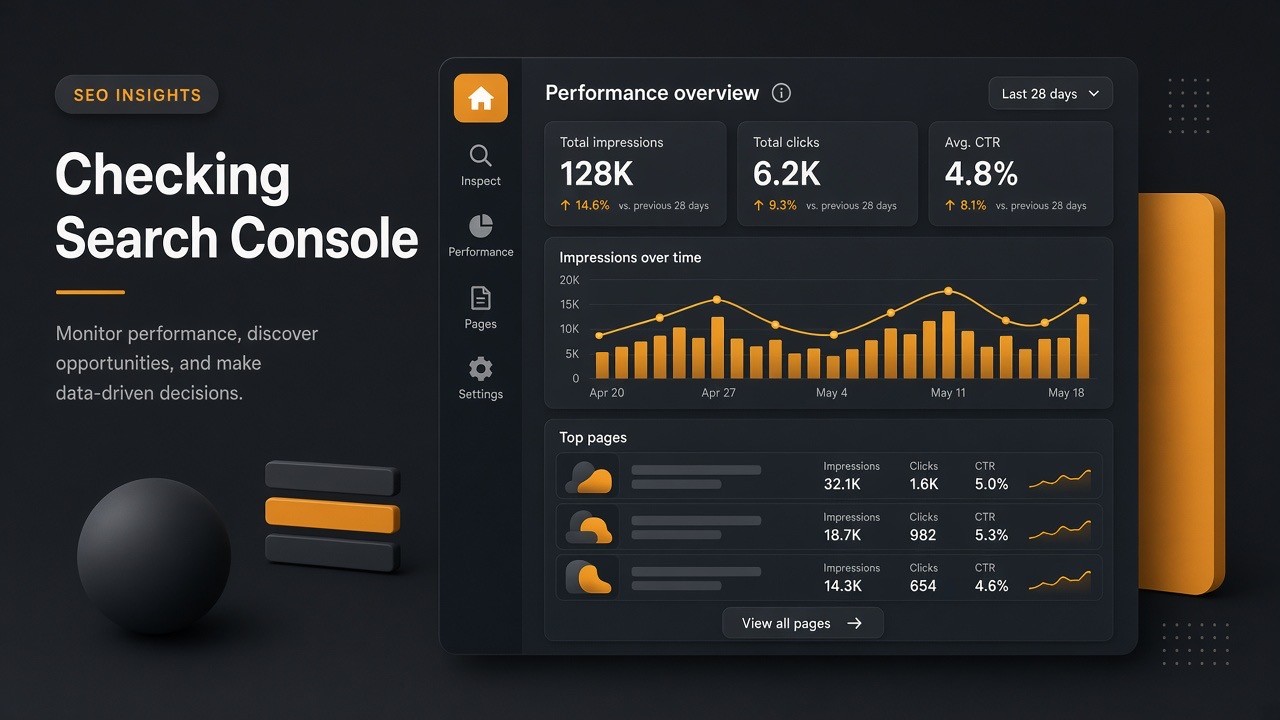
Where to find the Generative AI report
In Search Console, open the Generative AI performance report for Search. If it is missing, common reasons are phased access or not enough generative AI impressions yet. Also confirm you have not excluded the site from Search generative AI features.
What Search Console shows for AI Overviews and AI Mode
- Pages — canonical URLs linked in generative AI features
- Countries — where impressions originated
- Devices — mobile, desktop, tablet
- Dates — trends (Pacific Time)
An impression means a link to your site was shown in a supported generative AI feature. Chart totals aggregate at property level; page tables aggregate by page.
What the Generative AI report does not prove
Use the report for visibility trends, not as a full query-level citation log. Pair it with manual audits for “which prompt cited which URL,” and use Analytics (or similar) for on-site outcomes after clicks. Generative AI traffic is also part of overall Web search reporting — review both views.
Monthly workflow: monitor AI Mode and AI Overviews visibility
- Week 1: Export Generative AI page impressions. Flag winners and zero-impression money pages.
- Week 2: Manually re-check 20 priority queries in AI Overviews and AI Mode. Save screenshots.
- Week 3: Fix eligibility issues (indexation, crawl blocks, thin/outdated pages, key claims only in images).
- Week 4: Improve one topic cluster with clearer answers and stronger evidence, then request recrawl.
How to improve your chances of being cited (Google-friendly)
Google’s guidance is consistent: foundational SEO still applies. There is no separate “AI ranking hack.”
1. Put clear answers in crawlable text
State definitions, steps, and facts in HTML text — not only in images, PDFs, or hard-to-crawl widgets. Use headings that match real questions.
2. Prefer people-first, experience-backed content
Helpful pages with original insight, accurate sourcing, and demonstrable experience outperform generic rewritten filler. This aligns with Google’s people-first content guidance and spam policies.
3. Keep technical access healthy
- Allow crawling in robots.txt and hosting/CDN rules
- Link important URLs internally
- Maintain solid page experience on mobile and desktop
- Keep structured data accurate when you use it (matched to visible text)
4. Use media to clarify, not decorate
Add images or video when they help understanding, with descriptive alt text and captions that reinforce the topic.
5. Understand snippet and preview controls
Controls like nosnippet, data-nosnippet, max-snippet, or noindex can limit how content appears in Search experiences, including AI features. After changes, allow time for recrawl. Robots.txt remains the crawl control for Search; Google-Extended is a separate control for some other Google AI systems outside Search feature eligibility.
Common mistakes when checking AI Overviews visibility
- Checking only once (AI Overviews often do not trigger)
- Checking only AI Overviews and skipping AI Mode
- Treating Search Console impressions as proof of a specific citation
- Adding “AI schema” Google says is unnecessary
- Rewriting the whole site overnight instead of fixing eligibility and strengthening best pages
- Ignoring classic Search fundamentals that AI features still rely on
Checklist: is your website showing in AI Mode and AI Overviews?
- ☐ Priority queries documented
- ☐ AI Overviews checked in a clean session with screenshots
- ☐ Same queries checked in AI Mode with separate citation notes
- ☐ Search Console Generative AI report reviewed (pages / countries / devices / dates)
- ☐ Non-cited money pages inspected for indexation + snippet eligibility
- ☐ One topic cluster improved this month with clearer, quotable answers
- ☐ No manipulative “AI ranking” tactics that risk spam policy issues
Key takeaways
- To verify AI visibility, combine manual AI Overview checks, manual AI Mode checks, and Search Console Generative AI impressions.
- AI Overviews and AI Mode can cite different pages for the same topic.
- Eligibility starts with indexation and snippet eligibility — not special AI markup.
- People-first, accurate, crawlable content remains the durable path.
If you want help turning this audit into a content and technical roadmap — clearer service pages, stronger topical clusters, cleaner crawl paths — talk to Let Start Design.
Sources: AI features and your website (Google Search Central); Generative AI performance report (Search Console Help).


